Blueprint for a system surrounding Catholic social thought & human rights
Posted on August 30, 2016 in UncategorizedThis posting elaborates upon one possible blueprint for comparing & contrasting various positions in the realm of Catholic social thought and human rights.
We here in the Center For Digital Scholarship have been presented with a corpus of documents which can be broadly described as position papers on Catholic social thought and human rights. Some of these documents come from the Vatican, and some of these documents come from various governmental agencies. There is a desire by researchers & scholars to compare & contrast these documents on the paragraph level. The blueprint presented below illustrates one way — a system/flowchart — this desire may be addressed:
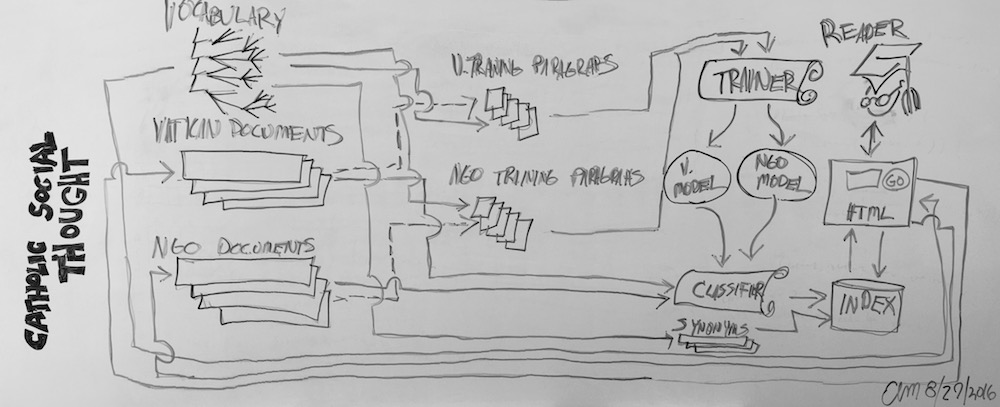
The following list enumerates the flow of the system:
- Corpus creation – The system begins on the right with sets of documents from the Vatican as well as the various governmental agencies. The system also begins with a hierarchal “controlled vocabulary” outlined by researchers & scholars in the field and designed to denote the “aboutness” of individual paragraphs in the corpus.
- Manual classification – Reading from left to right, the blueprint next illustrates how subsets of document paragraphs will be manually assigned to one more more controlled vocabulary terms. This work will be done by people familiar with the subject area as well as the documents themselves. Success in this regard is directly proportional to the volume & accuracy of the classified documents. At the very least, a few hundred paragraphs need to be consistently classified from each of the controlled vocabulary terms in order for the next step to be successful.
- Computer “training” – Because the number of paragraphs from the corpus is too large for manual classification, a process known as “machine learning” will be employed to “train” a computer program to do the work automatically. If it is assumed the paragraphs from Step #2 have been classified consistently, then it can also be assumed that the each set of similarly classified documents will have identifiable characteristics. For example, documents classified with the term “business” may often include the word “money”. Documents classified as “government” may often include “law”, and documents classified as “family” may often include the words “mother”, “father”, or “children”. By counting & tabulating the existence & frequency of individual words (or phrases) in each of the sets of manually classified documents, it is possible to create computer “models” representing each set. The models will statistically describe the probabilities of the existence & frequency of words in a given classification. Thus, the output of this step will be two representations, one for the Vatican documents and another for the governmental documents.
- Automated classification – Using the full text of the given corpus as well as the output of Step #3, a computer program will then be used to assign one or more controlled vocabulary terms to each paragraph in the corpus. In other words, the corpus will be divided into individual paragraphs, each paragraph will be compared to a model and assigned one more more classification terms, and the paragraph/term combinations will be passed on to a database for storage and ultimately an indexer to support search.
- Indexing – A database will store each paragraph from the corpus along side metadata describing the paragraph. This meta will include titles, authors, dates, publishers, as well as the controlled vocabulary terms. An indexer (a sort of database specifically designed for the purposes of search) will make the content of the database searchable, but the index will also be supplemented with a thesaurus. Because human language is ambiguous, words often have many and subtle differences in meaning. For example, when talking about “dogs”, a person may also be alluding to “hounds”, “canines”, or even “beagles”. Given the set of controlled vocabulary terms, a thesaurus will be created so when researchers & scholars search for “children” the indexer may also return documents containing the phrase “sons & daughters of parents”, or another example, when a search is done for “war” documents (paragraphs) also containing the words “battle” or “insurgent” may be found.
- Searching & browsing – Finally, a Web-based interface will be created enabling readers to find items of interest, compare & contrast these items, identify patterns & anomalies between these items, and ultimately make judgments of understanding. For example, the reader will be presented with a graphical representation of controlled vocabulary. By selecting terms from the vocabulary, the index will be queried, and the reader will be presented with sortable and groupable lists of paragraphs classified with the given term. (This process is called “browsing”.) Alternatively, researchers & scholars will be able to enter simple (or complex) queries into an online form, the queries will be applied to the indexer, and again, paragraphs matching the queries will be returned. (This process is called “searching”.) Either way, the researchers & scholars will be empowered to explore the corpus in many and varied ways, and none of these ways will be limited to any individuals’ specific topic of interest.
The text above only outlines one possible “blueprint” for comparing & contrasting a corpus of Catholic social thought and human rights. Moreover, there are at least two other ways of addressing the issue. For example, it it entirely possible to “simply” read each & every document. After all, that is they way things have been done for millennium. Another possible solution is to apply natural language processing techniques to the corpus as a whole. For example, one could automatically count & tabulate the most frequently used words & phrases to identify themes. One could compare the rise & fall of these themes over time, geographic location, author, or publisher. The same thing can be done in a more refined way using parts-of-speech analysis. Along these same lines there are well-understood relevancy ranking algorithms (such as term frequency / inverse frequency) allowing a computer to output the more statistically significant themes. Finally, documents could be compared & contrasted automatically through a sort of geometric analysis in an abstract and multi-dimensional “space”. These additional techniques are considerations for a phase two of the project, if it ever comes to pass.
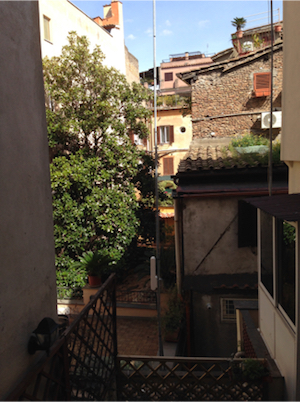 How rare is rare? – In an effort to determine the “rarity” of items in the Catholic Portal, I programmatically searched WorldCat for specific items, counted the number of times it was held by libraries in the United States, and recorded the list of the holding libraries. Through the process I learned that most of the items in the Catholic Portal are “rare”, but I also learned that “rarity” can be defined as the triangulation of scarcity, demand, and value. Thus the “rare” things may not be rare at all.
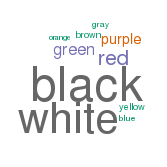 Have harvested the totality of the
  emerson
 thoreau
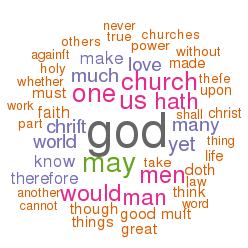 EEBO is an acronym for Early English Books Online. It is intended to be a complete collection of English literature between 1475 through to 1700. TCP is an acronym for Text Creation Partnership, a consortium of libraries dedicated to making EEBO freely available in the form of XML called TEI (Text Encoding Initiative). [4, 5]
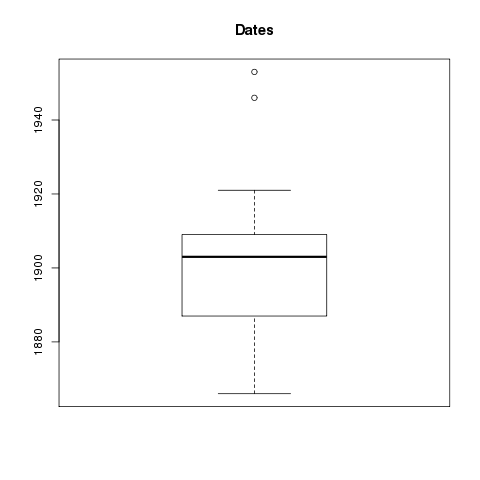
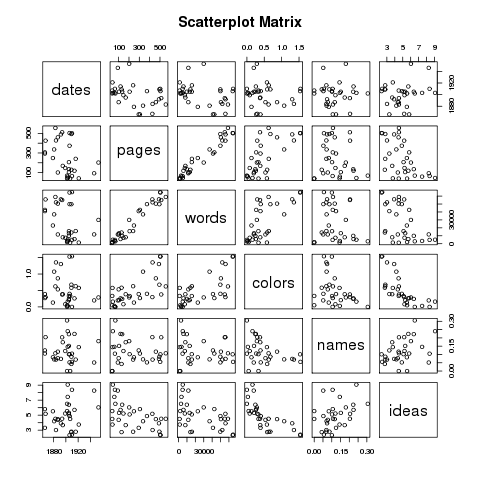
 I used the repository on Box to get my content, and I mirrored it locally. [1, 2] I then looped through the content using XPath to extract rudimentary metadata, thus creating a “catalog” (index). Along the way I calculated the number of words in each document and saved that as a field of each “record”. Being a tab-delimited file, it is trivial to import the catalog into my favorite spreadsheet, database, editor, or statistics program. This allowed me to browse the collection. I then used grep to search my catalog, and save the results to a file. I searched for Richard Baxter. [6, 7, 8]. I then used an R script to graph the numeric data of my search results. Currently, there are only two types: 1) dates, and 2) number of words. [9, 10, 11, 12] From these graphs I can tell that Baxter wrote a lot of relatively short things, and I can easily see when he published many of his works. (He published a lot around 1680 but little in 1665.) I then transformed the search results into a browsable HTML table. The table has hidden features. (Can you say, “Usability?”) For example, you can click on table headers to sort. This is cool because I want sort things by number of words. (Number of pages doesn’t really tell me anything about length.) There is also a hidden link to the left of each record. Upon clicking on the blank space you can see subjects, publisher, language, and a link to the raw XML.

 I have put my (fledgling) HathiTrust Workset Browser on GitHub. Try: